
Connect
Deploy the read-only role in your management account from the template CostChat gives you. Member accounts are discovered from the organization and connected the same way. A billing export in the payer account unlocks resource-level history.
CostChat reads your AWS organization through a read-only role and answers cost questions in plain English — with the numbers it used, an explorer to dig further, and dashboards you can share with the people who asked.
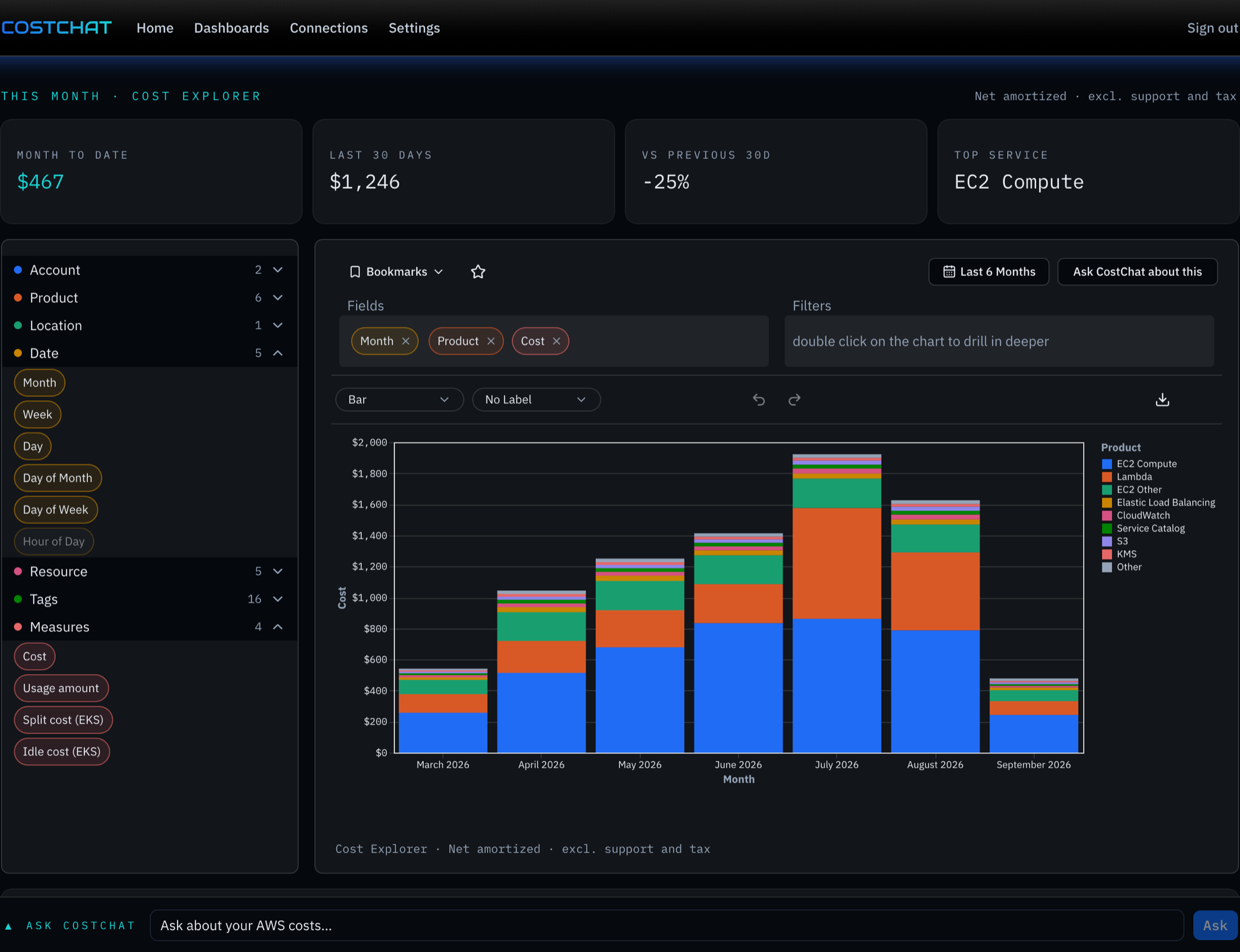
No pipeline to build. CostChat reads Cost Explorer through a role you deploy from a one-click template, and the billing export your payer account already produces when you want resource-level detail.
Deploy the read-only role in your management account from the template CostChat gives you. Member accounts are discovered from the organization and connected the same way. A billing export in the payer account unlocks resource-level history.
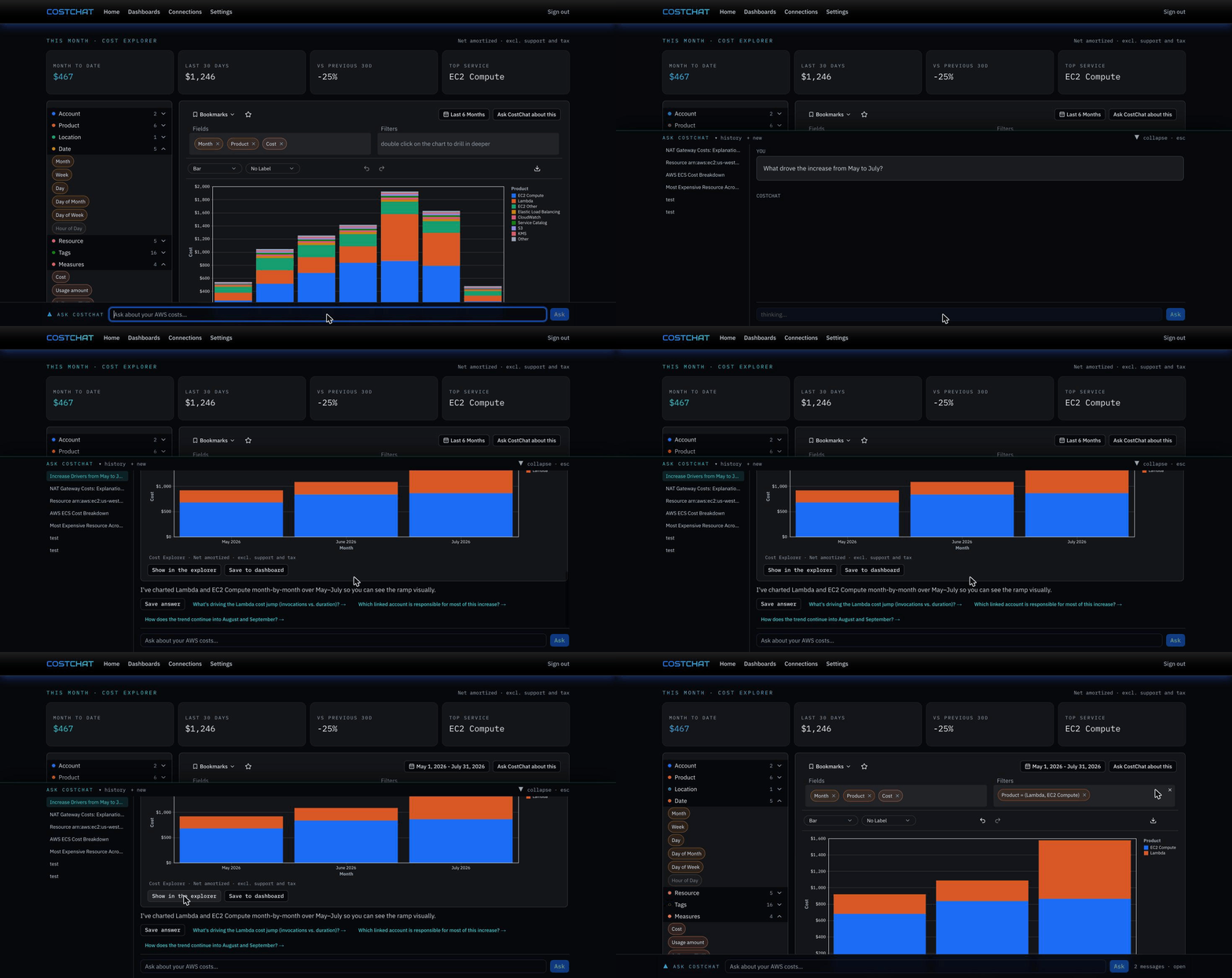
Type the question. The assistant fetches cost and usage, compares periods, asks Cost Explorer for a forecast or queries the billing export, and answers on your workspace’s cost basis — with one explorer view per answer.
Open the view in the explorer, save it to a dashboard, or share a snapshot link. Colleagues get the numbers without the AWS console.
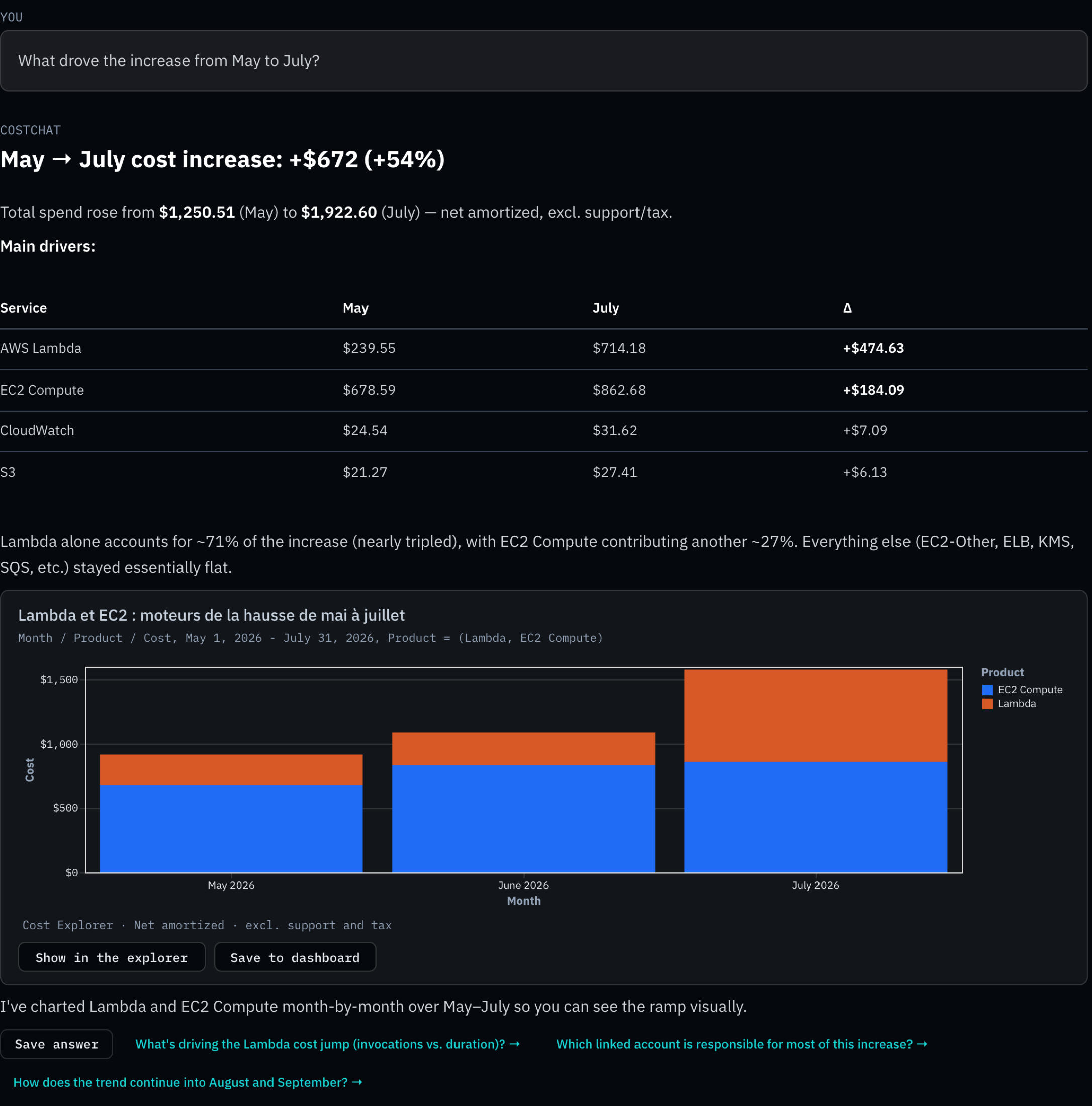
A real workspace, unedited: the question is typed, the answer arrives with its table and a proposed chart, and one click opens that chart in the explorer.
The assistant has a handful of tools and no imagination: it fetches cost and usage, compares two periods to explain a change, asks Cost Explorer for a forecast, lists the values of a dimension or tag, and queries the billing export for resource-level questions. Every number carries the cost basis of your workspace, and each answer proposes one explorer view you can open, save or share.
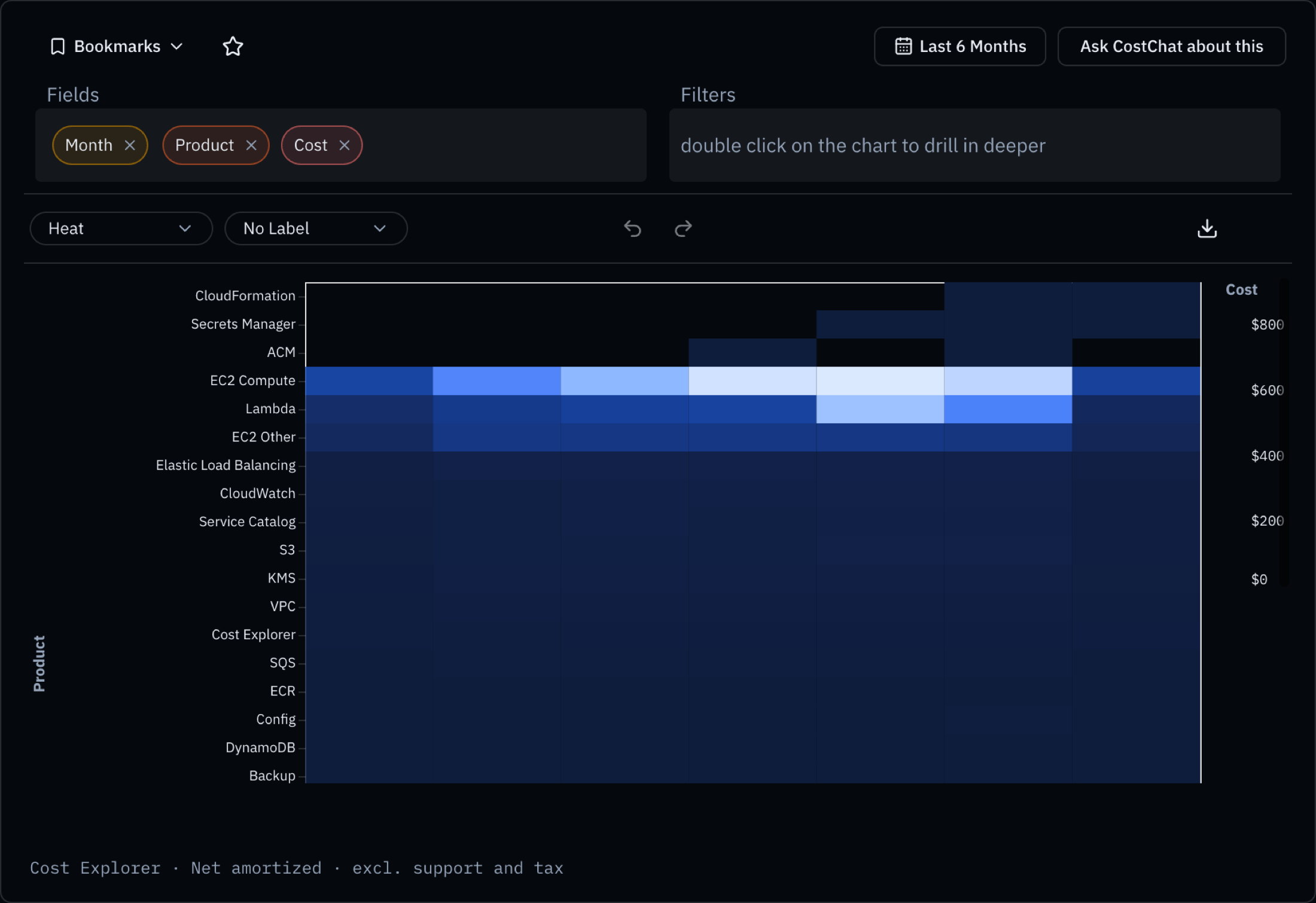
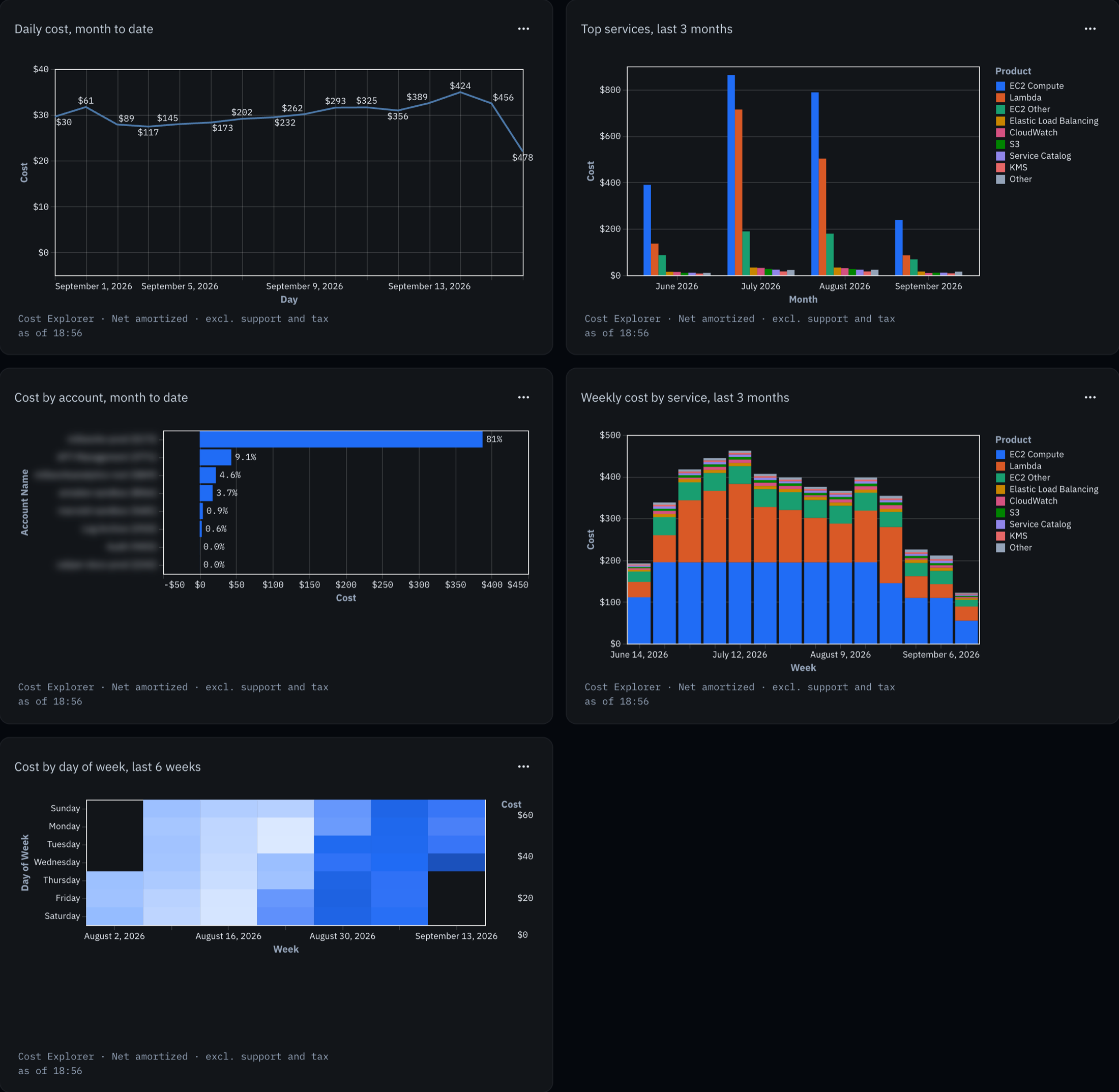
Fields sit under eight groups — Account, Product, Location, Date, Resource, Tags, Cost Category and Measures. Drop up to three on the canvas, filter, pick stacked or grouped bars, lines, points or a heat map, choose a rolling range like the last three months, and undo what you did not mean.
Every saved view lives on a dashboard, and the tiles refresh live from the same explorer. Sharing freezes a snapshot on a public link, so the person you send it to reads the numbers you saw, not whatever they became overnight.
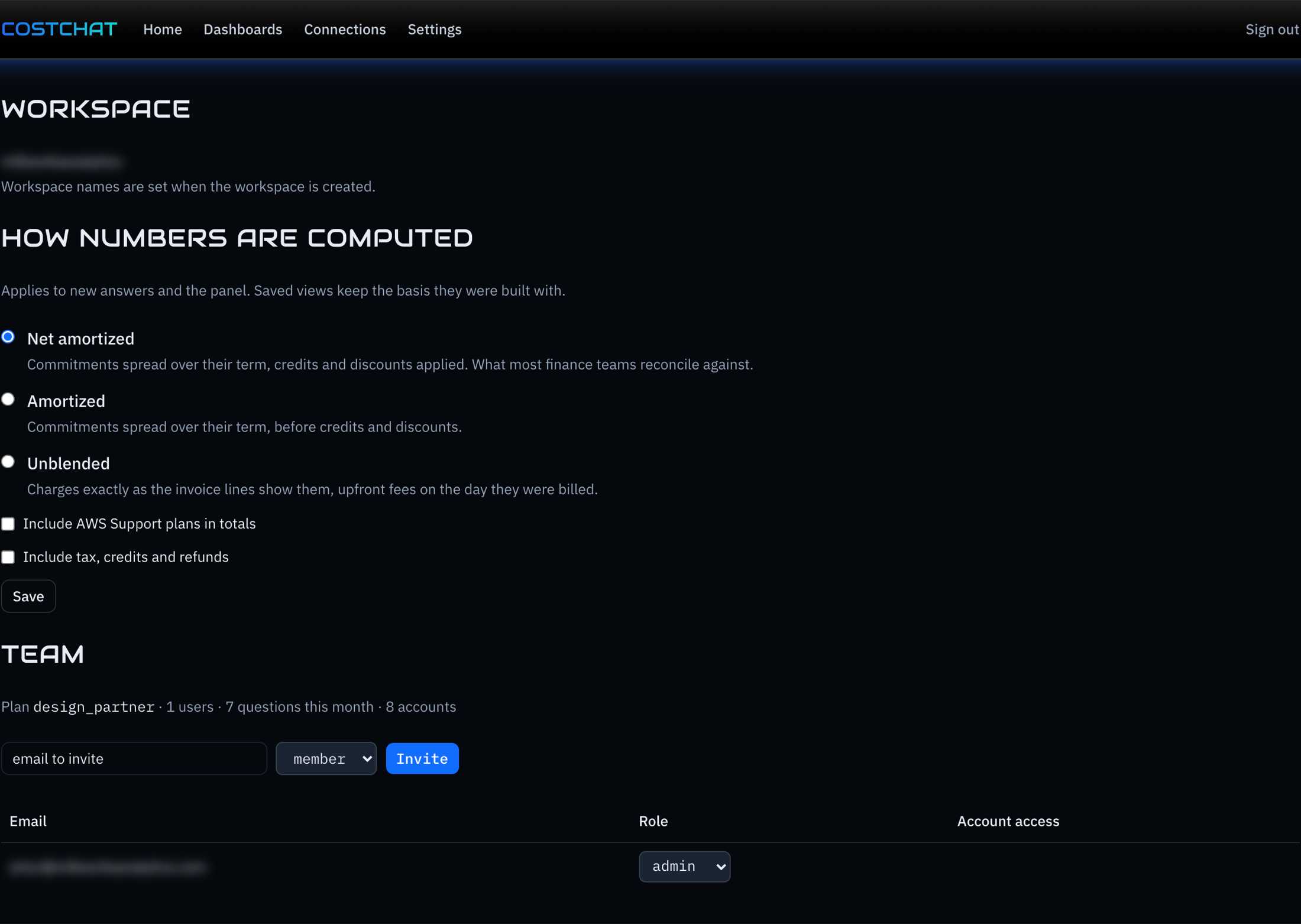
Invite by e-mail and the invitation arrives in the inbox with a link that lands the person in your workspace. Roles are simple, and account access is granted per member, so a team lead sees their accounts and nothing else.
The template creates a role that can read cost data and nothing else; the permissions it needs are listed in the app before you deploy it. Remove the stack and the access is gone.
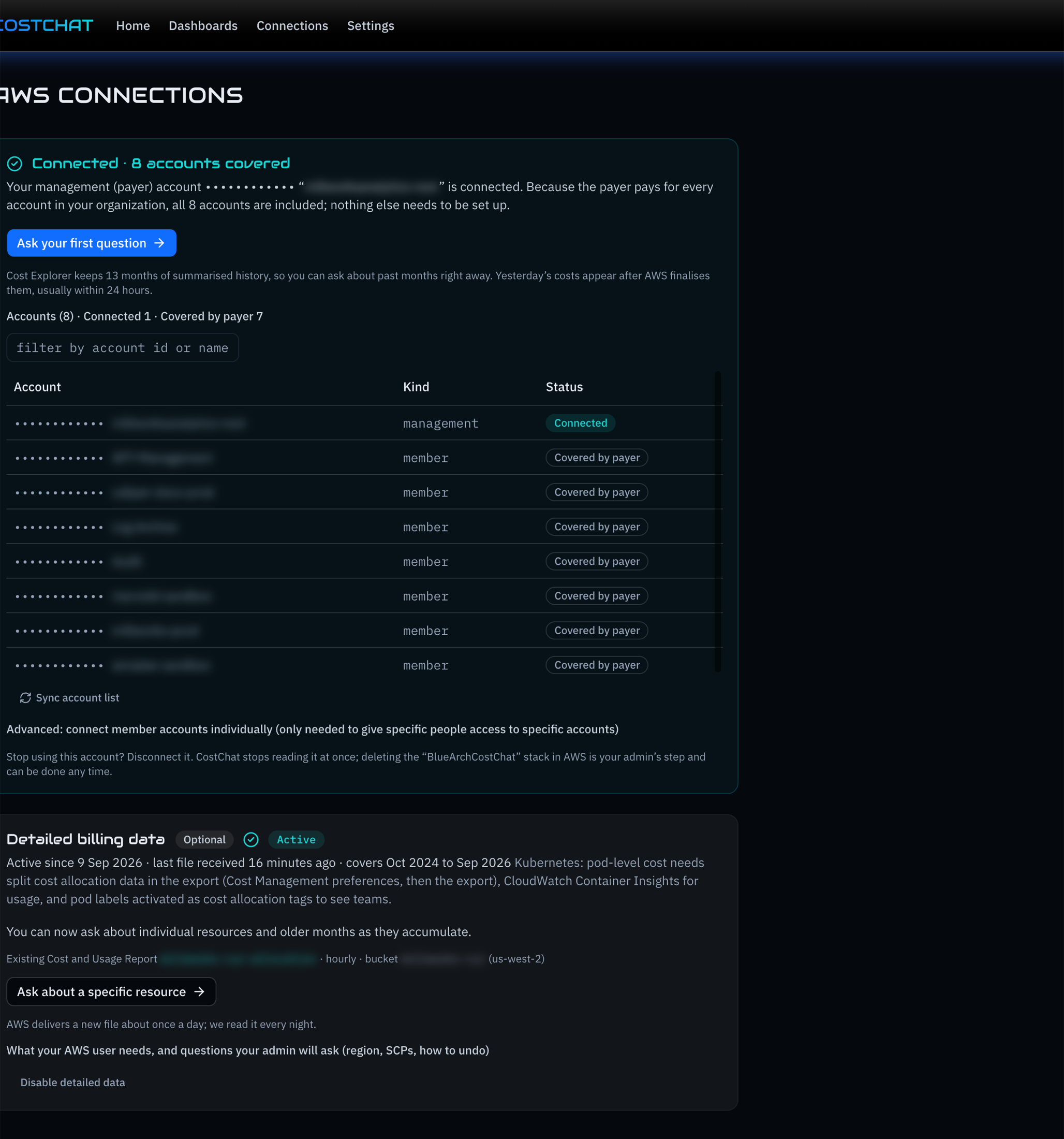
The role you deploy can read costs and nothing else. It lives in your account, under your control, and a deleted stack ends the access.
Answers come from Claude running on Amazon Bedrock. Your cost data is read through the role and stays inside AWS; nothing goes to a model provider outside it.
Net amortized by default, with support plans and tax as toggles. Chat, explorer and dashboards use the same basis, so the numbers agree with each other and with finance.
Short answers below. The exact permissions of the role are shown in the app before you deploy the template.
Sign in with Google or e-mail, name your workspace, deploy the template. The first answer is minutes away.